
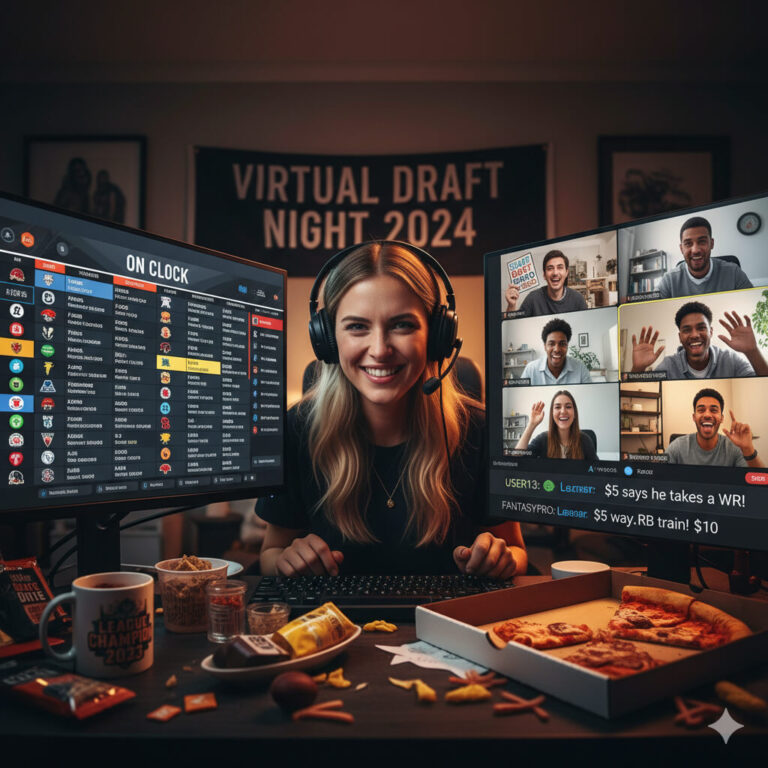
Can’t get the guys together for a traditional, live and in-person draft? Throw a virtual draft party instead.
But what all goes into that experience? Let this post be thy guide.
I. Introduction: Better Than Being There?
A virtual draft party shouldn’t feel like a conference call. It should feel like a season kickoff.
If your league is logging onto Zoom or Discord this year, you’re not just looking for a stable connection; you’re looking for high-energy distractions, competitive side bets, and enough trash talk to last until Week 1. Forget the awkward silence between picks—and definitely forget the lag.
The greatest risk in the virtual setting isn’t a bad pick, it’s a frozen screenshare, a dead microphone, or five people all talking over each other when the clock starts ticking.
This year, we’re making the virtual draft experience better than the in-person one. This is your definitive playbook for hosting a bulletproof, high-energy virtual draft night, covering everything from the simple, lag-free tech setup to the low-stakes, real-time wagers that keep everyone engaged from the first pick to the last.
II. The Best Virtual Draft Party Games
Keep the energy high between picks, during breaks, or for determining draft order.
A. Pre-Draft & Draft Order Games
Before the clock even starts ticking, you need to set the tone. These games are perfect for determining your draft order, settling old scores, or just maximizing pre-draft trash talk.
1. The Derby/Lottery Draw
This is the highest-drama way to assign draft slots for leagues that don’t simply base the order on the previous year’s standings.
• The Setup: Use our online draft order generator or a dedicated fantasy lottery tool. Assign each manager a number, hit the button, and watch the chaos unfold.
• The Virtual Hook: The key is to screen share the live draw for instant, high-stakes reveal. Nothing beats the shared agony of seeing the virtual balls bounce and watching a potential first pick slip away in real-time. Make sure someone records the screen share for future taunts.
2. Last Place Punishment Reveal
If your league holds the annual threat of an epic punishment over the last-place finisher, the virtual environment is the perfect stage for the reveal.
• The Setup: Don’t just announce the punishment — make a production. Have the loser create a short, pre-recorded video presentation documenting their completed humiliation, or force them to wear the punishment outfit live on camera during the pre-draft social hour.
• The Virtual Hook: Using the screenshare or video chat feature to force the entire league to be an unblinking audience to their shame elevates the punishment and reminds everyone what they’re playing for (or against).
3. Fantasy Trivia Blitz
Inject some knowledge-based competition for a powerful draft advantage.
• The Setup: Create a trivia quiz using an interactive service like Kahoot! or a simple Google Form that tests your league’s knowledge. Questions can cover obscure league history, “Who drafted who?” flops from the past, or current NFL news.
• The Goal: The stakes should be good. The winner gets a major perk, like the choice of their draft position (choosing between the 1st or 12th slot), or perhaps a valuable 30-second time extension they can use once during the draft. It’s a low-stakes game with a high-value payoff.
B. In-Draft Games & Side Bets
When you have 12 managers and only a few picks to focus on in a row, attention can wander. These interactive games keep everyone locked into the draft board and elevate the trash talk beyond a simple chat window.
1. Draft Bingo (The Communal Game)
This is a simple, visual way to keep every manager engaged with what other managers are doing.
• The Setup: The Commissioner or a designated manager creates a 5×5 Bingo Card and shares it via a screenshare or a shared link (like a collaborative Google Sheet). The squares should contain common draft occurrences, like:
- “The first Kicker is drafted.”
- “Someone drafts an injured player (PUP/IR).”
- “A QB is taken in Round 1.”
- “Manager [X] drafts their first player from their favorite NFL team.”
- “A player is drafted immediately after the clock hits 10 seconds.”
• The Goal: Every manager calls out “Bingo!” when they complete a row, column, or diagonal. The first person to yell it gets a small, immediate reward, like a free waiver wire claim or $5 cash/Venmo.
2. Player “Death Pool” (The Ultimate Trash Talk)
This is a quick, high-stakes side bet that is decided entirely during the draft.
• The Setup: Before the draft starts, managers put $5–$10 into a side pot. Each manager then secretly writes down one player they believe will be injured, benched, or otherwise bust before Week 6 (the “Death Pool” candidate).
• The Reveal: The manager who drafts the most egregious “Death Pool” candidate is immediately given half of the pot. The manager whose chosen candidate actually busts in the first six weeks gets the other half. This generates instant trash talk and puts a target on certain drafted players.
3. The “Draft Cocktails” / Shot Clock
This activity keeps the focus on the actual draft clock and punishes managers for slowing down the process.
• The Setup: Managers agree to keep a specific beverage (beer, seltzer, or, yes, a shot) nearby.
• The Rule: If a manager uses more than 75% of their allotted draft clock (e.g., if they have 90 seconds, they must pick before the 22-second mark), that manager must immediately take a drink on camera. If they let the clock expire and auto-draft, they must take two drinks. This creates a frantic incentive to be prepared and keeps the pace snappy.
III. The Perfect Screenshare Setup (Eliminating Tech Fails)
The person running the main draft board — usually the Commissioner, or whoever has the fastest connection — has one job: keep the board stable, visible, and updated. The biggest risk is trying to run too many resources (the draft application, the video conference, background games, and 30 browser tabs) on a single screen or a slow computer.
Here are the optimal setups to eliminate tech failures.
A. The Essential One-Screen Setup (For Participants)
If you’re a participant (not the host/screen-sharer), you can get by with one monitor, but you need to be ruthless about resource management.
1. Split the Screen Ruthlessly: Use your operating system’s snap feature to dedicate 70% of your screen to the shared Draft Board view (via Zoom, Google Meet, etc.). Dedicate the remaining 30% to your Draft Tool/Cheat Sheet (like a spreadsheet or Sleeper app).
2. Close Everything Else: Before signing on, close every other background application, browser tab, and unnecessary program. Browser-based draft apps are memory hogs, and you need all available RAM dedicated to running the draft and the video feed.
3. Wired Connection: If you are the host, or if your Wi-Fi is spotty, connect to the internet with an Ethernet cable. It’s the single easiest way to ensure a stable upload speed for your video and screen share.
B. The Command Center Two-Screen Setup (For the Host)
If you are running the draft and screensharing the board, a second monitor is non-negotiable. This setup is the gold standard for stability and interaction.
Monitor 1: The Draft Board (Shared Screen)
• This monitor is solely for the draft software (ESPN, Yahoo, Sleeper, etc.). This is the screen you will share via Zoom. Do not put anything else on this screen—no desktop icons, no notifications, no side-chatter windows. Keep it clean and dedicated.
Monitor 2: The Communication Center
• This monitor holds the video conference window (Zoom/Discord). This allows you to see faces, watch for reaction, and manage chat/mics without blocking the board.
• This is also where you run the pre-draft and in-draft games (like the Draft Bingo sheet).
This separation is crucial: it prevents you from having to drag windows over the main draft board, which can cause frustrating latency and screen-sharing flicker.
Pro Tip: Share the Application, Not the Screen
When initiating the screen share in your video conference software (Zoom, Meet, etc.), always choose the option to share the specific draft application window rather than “Desktop 1” or “Screen 1.”
This prevents accidental notifications, background programs, or other private windows from being broadcast to your entire league, and it focuses the bandwidth purely on the content everyone wants to see: the board.
IV. Interactive Side Bets & Real-Time Wagers
If the draft board is screenshared correctly, you have a common reference point for instant, money-on-the-line action. These bets use low stakes ($1-$5) and are settled immediately, perfect for filling the downtime between your own picks.
A. Positional Run Prop Bet
This bet is great for the second half of the draft when managers are looking to fill out specific positions.
• The Wager: Two managers bet on the exact number of players at a specific position (e.g., Wide Receiver) who will be drafted in the next three rounds.
• The Mechanic: Manager A bets “Over 5.5 WRs” drafted between now and the end of Round 12. Manager B bets “Under 5.5 WRs.”
• The Execution: Immediately document the bet in the video chat or a dedicated side-bet channel. The winning manager sends a Venmo/Cash App request to the loser the moment the final pick of the agreed-upon window is made.
B. The Next Position Taken (Instant $1 Bet)
This is the fastest, simplest way to bet on the action.
• The Wager: Before the manager on the clock has five seconds left, two managers place an instant $1 wager on which position the manager on the clock will draft next.
• The Mechanic: Manager A calls “Running Back.” Manager B calls “Wide Receiver.” If the manager on the clock drafts any other position (QB, TE, etc.), it’s a push, and the money is returned.
• The Virtual Hook: Use the video chat for an instantaneous call-out. It’s loud, fast, and forces people to predict the other manager’s draft strategy on the fly.
C. The ADP Over/Under Wager
This requires managers to reference current Average Draft Position (ADP) rankings, adding a layer of strategic knowledge to the betting.
• The Wager: Pick a highly polarizing player who is currently on the board (e.g., a rookie RB or a player returning from injury). Managers bet on whether that player will be drafted above or below their current consensus ADP (usually visible right on the draft app).
• The Mechanic: For example, Player X’s ADP is 75. Manager A bets they go “Over” (i.e., later than pick 75). Manager B bets they go “Under” (i.e., earlier than pick 75).
• The Execution: This bet can run for several rounds, keeping managers paying attention long after they’ve made their own pick, as they wait to see when the polarizing player finally comes off the board.
V. Conclusion: Don’t Just Draft, Throw a Party
With your bulletproof screenshare setup and a roster of pre-draft games and real-time wagers ready to go, you’re not just hosting a draft; you’re throwing a full-blown season kick-off event.
The greatest challenge of a virtual draft isn’t knowing who to pick — it’s preventing lag, managing the pace, and stopping those awkward silences between rounds. By dedicating a few minutes to securing the two-screen host setup and planning out three simple, low-stakes side bets, you ensure the only thing freezing on draft night is your opponent’s brain when they’re on the clock.
Don’t let the technology subtract from the fun; use it to amplify the trash talk and the hype. Good luck this season, Commissioner!